
Investment Details Page: Overview Tab
From the Investments page, click on the Fund name to view all the detailed information organized in tabbed format. General information about the fund can be found on the Overview tab, including photo gallery and holdings locations on a map.

TIP: Click on the red beacon on the map to see the holding name and address. Clicking the holding name opens up the holding details on a separate browser tab.
For Current Opportunities additional sections can optionally be displayed including a Funding section with various details about the funding status and option to ask to invest in this opportunity, and an Investment Request section which shows the status of previous investment requests.
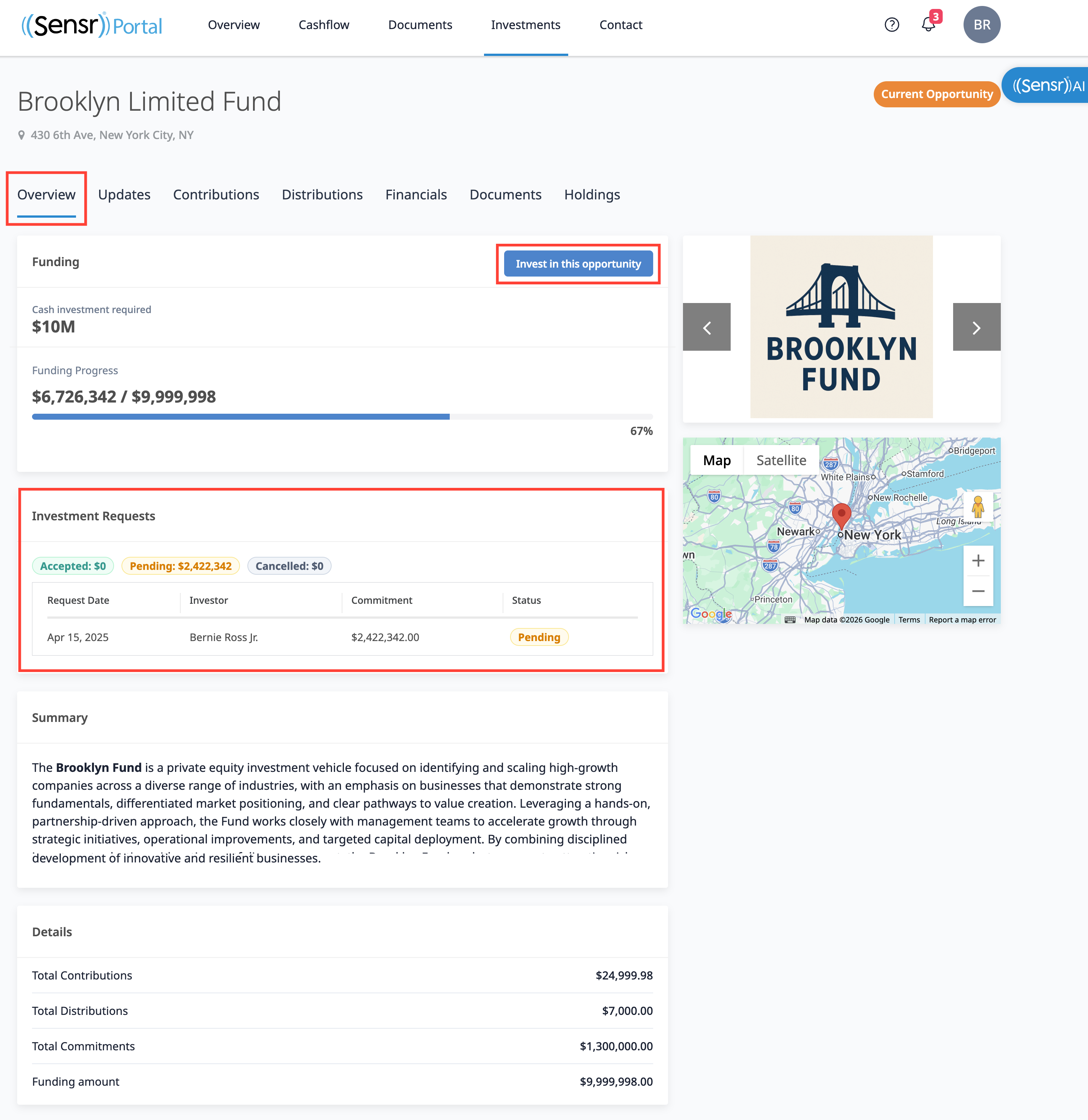
To express interest in engaging with a fund, you can submit an investment request by clicking Invest in this opportunity. A popup window appears. Complete the required fields in the form, as seen below and click Submit. You can submit more than one request, if needed.

Once submitted, a green banner appears to confirm the request was sent successfully and the details of the request appears under the Investment Requests section, along with any previous submissions.