
Profile Update Actions
Profile Update Actions are used to notify contacts to update their profile details. These action types also include updates made to the contact's investor details. Profile update items include contact information, email address, investor details, etc.
Create Profile Update Actions
- From the Functions menu click Actions.
-
Click + Add in the top right corner.
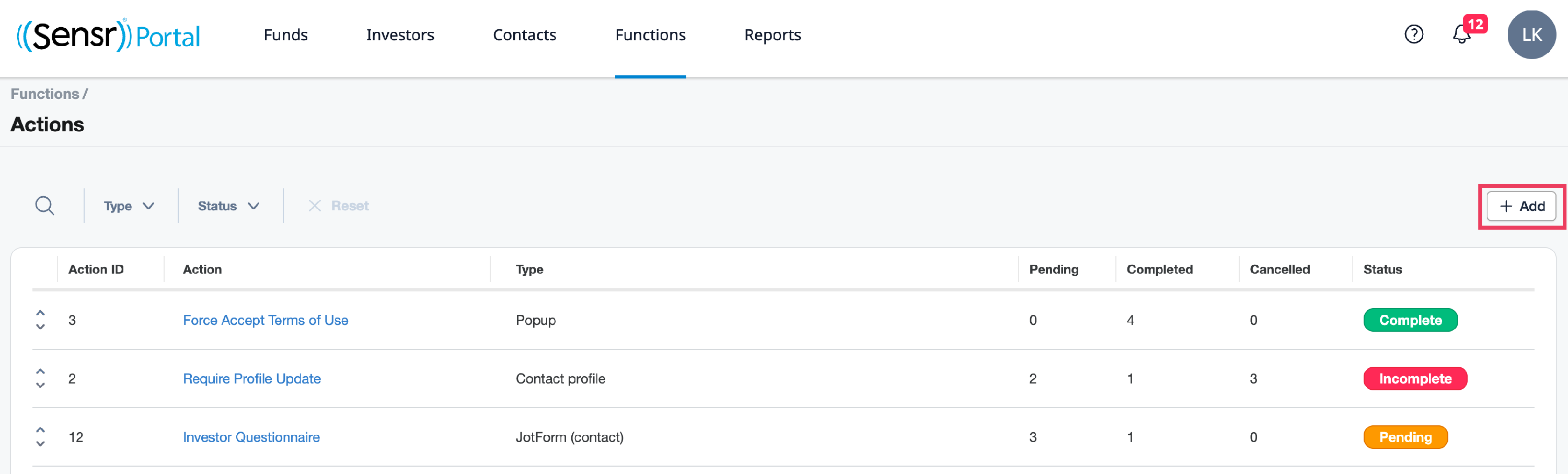
- Select Profile Update from the drop-down list, then click Save.

- On the Action Details page, complete the following information on the Action Details page that the contact will see when logging in:
- System Name - internal name only visible to admins
- Display Name - name the contact sees on the portal
- Hide Contact Profile checkbox
- When left unchecked, the contact will be directed to update their profile and then the investor profile(s). If there are multiple investors, each subsequent investor will display in A-Z order based on investor name.
- When checked, this skips the contact profile update and only presents the investor profile update action(s). If there are multiple investors, the contact will be presented with investors in A-Z order based on investor name.
-
Header Content: what contacts will see when the action appears

- Commit button: action button name
- Recurring (optional): displays the action upon every login regardless of which button was selected
- Skip button (optional): allows contact to skip the action (admin can set Number of attemps)
- Cancel button(optional): allows contact to cancel the action, which automatically logs them out of the portal

- Click Save.
- To assign this action to contacts, use one of the three buttons:
- +Add tags - assigns the action based on tags
- +Assign all Contacts - assigns the action to all contacts
- +Assign Contact - assigns the action to contacts from a dropdown menu
