
Invite New Contacts to Sign In
NOTE: If you haven't already, you must first create a new contact for the portal before inviting them to login.
There are scenarios where you need to add a new contact to your portal and invite them to log into the portal.
Invite Contacts in Bulk
To invite contacts in bulk, we recommend taking advantage of the Invite Contacts page.
- Navigate to the Functions: Communication.
- Click on the Invite Contacts tab.
- Refer to this link for further details and to read about the bulk invite contacts feature here.
Invite a Contact Who Hasn't Signed In
-
Click on the Contacts tab and find the contact to invite to the portal. For example, we have recently added Bernie W. Ross Sr. and would like to invite him to the portal.


-
Click on Bernie's name to view his profile. At the top of the page, click the Reset Password button. Click to expand the menu and select the Send Password Reset Email - this will send an email out to the email address associated with Bernie's contact profile, where he will be asked to set his password and sign into your investor site to see his investments.
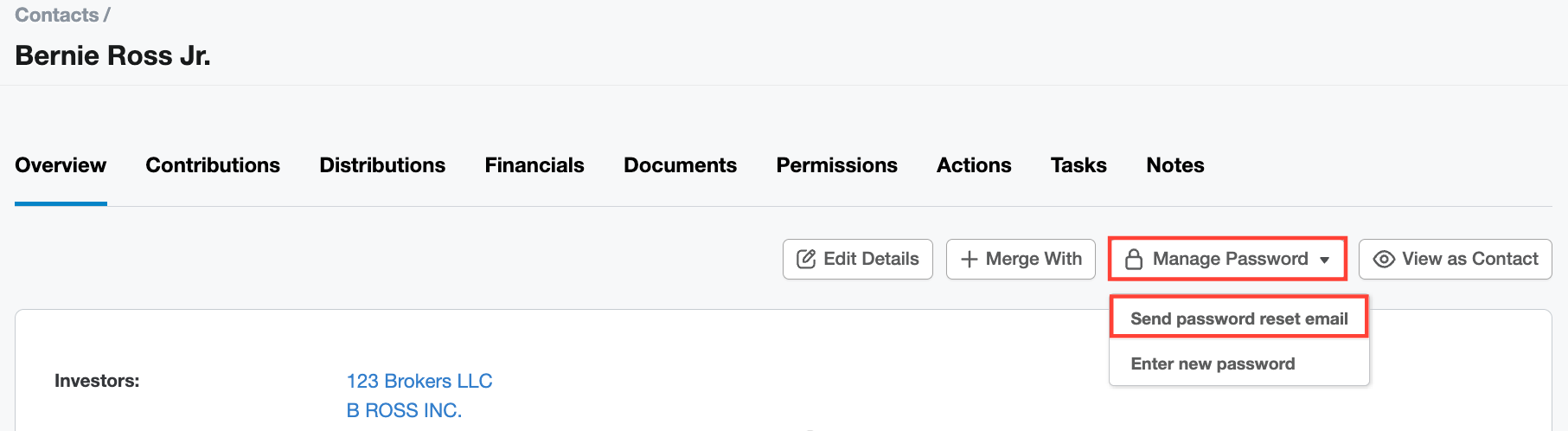
- When you are ready, you can send out the password reset email.
