Functions: Knowledge Base
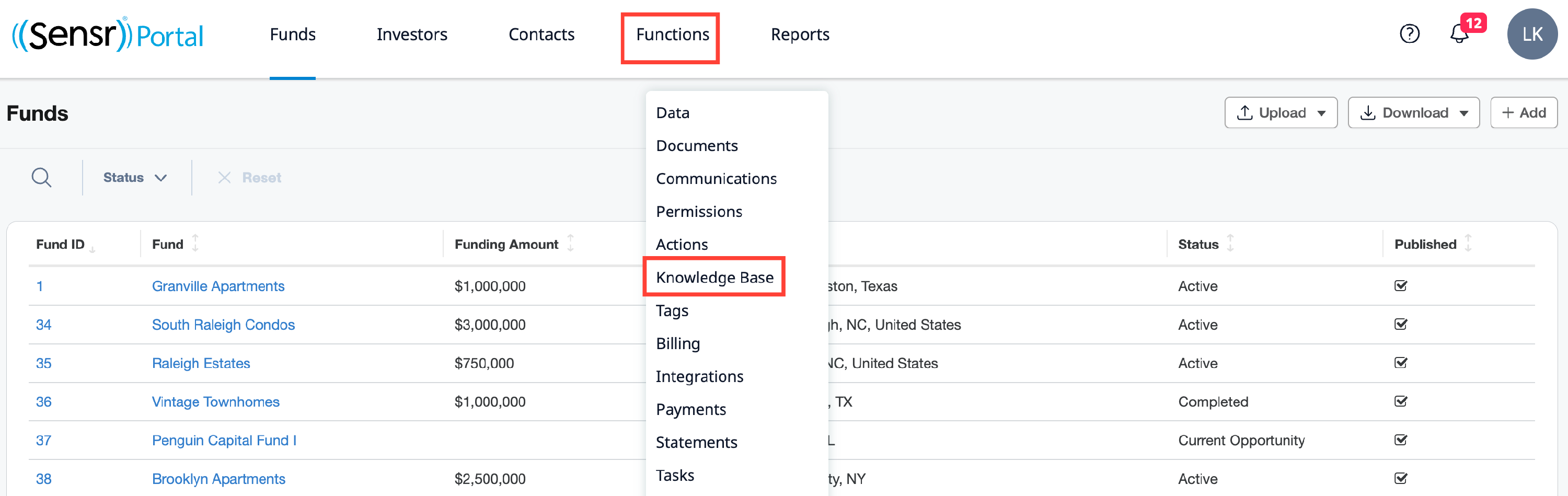
Admins can view and manage all documents uploaded to Knowledge Base easily accessible under the Functions menu > Knowledge Base.
Overview
The Knowledge Base allows admins to upload documents to all contacts in the portal across all funds and investors at once. With this feature admins can share general documents like for industry reports, marketing content, and special announcements. In addition, since Knowledge Base documents are accessible to SensrAI, investors can engage with the content, ask questions and the responses can be enriched with firm specific insights to further add value to investors.
NOTE: All document uploaded to the Knowledge Base will be accessible to all contacts. To upload documents to specific contacts please use the File Wizard in the Document tab.

Manage Access
By default, uploaded Knowledge Base documents are visible to all users, including SensrAI. Admins can opt to limit access at the Upload and Edit functions. At the upload step, use the Limit visibility to SensrAI checkbox to make the document visible only to SensrAI. Refer to the Edit access option listed below.

Edit and Delete
Under the Manage column, you can Edit and Delete Knowledge Base document and folder names and access type. Click Edit to modify the name and select the preferred access type from the menu, as needed.

Access Types
- Admins and Contacts (default) - this type of access makes the document visible to all users as well as SensrAI.
- AI only - this type of document is not visible to investors and can only be accessed by SensrAI.
NOTE: When editing a PDF document type, two checkboxes are available as outlined below:
- Make read-only - use this checkbox to restrict the ability to print or save (download) the document. This is only applicable to PDFs. Click here to learn more about read-only documents.
- Use the Pin to top checkbox to pin the document to the top of the page. This is only applicable to PDFs. Click here to learn more about pinned documents.
All Documents Report
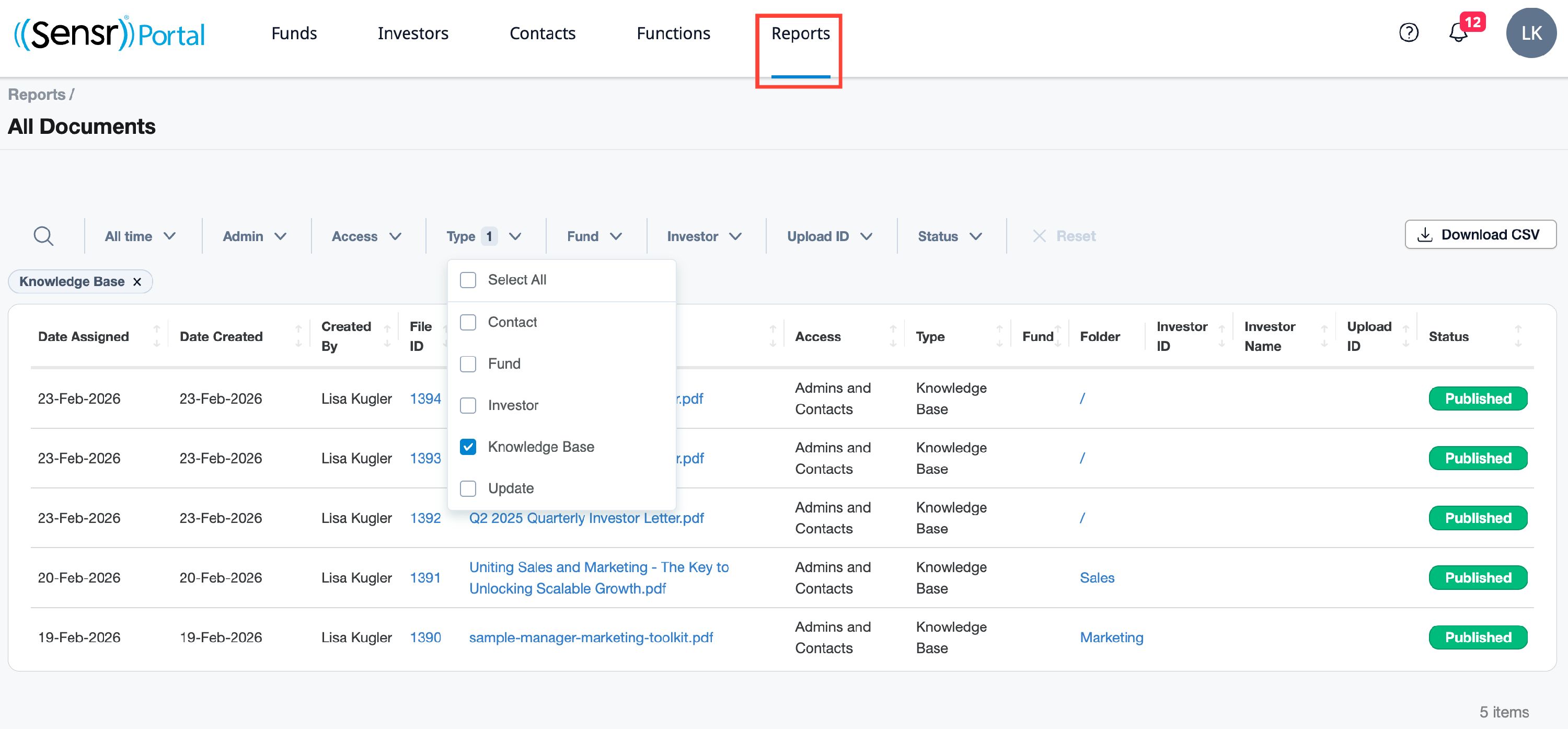
Documents uploaded to the Knowledge Base are recorded in the All Documents Report. Use the Type filter to view the Knowledge Base documents.
Audit Log
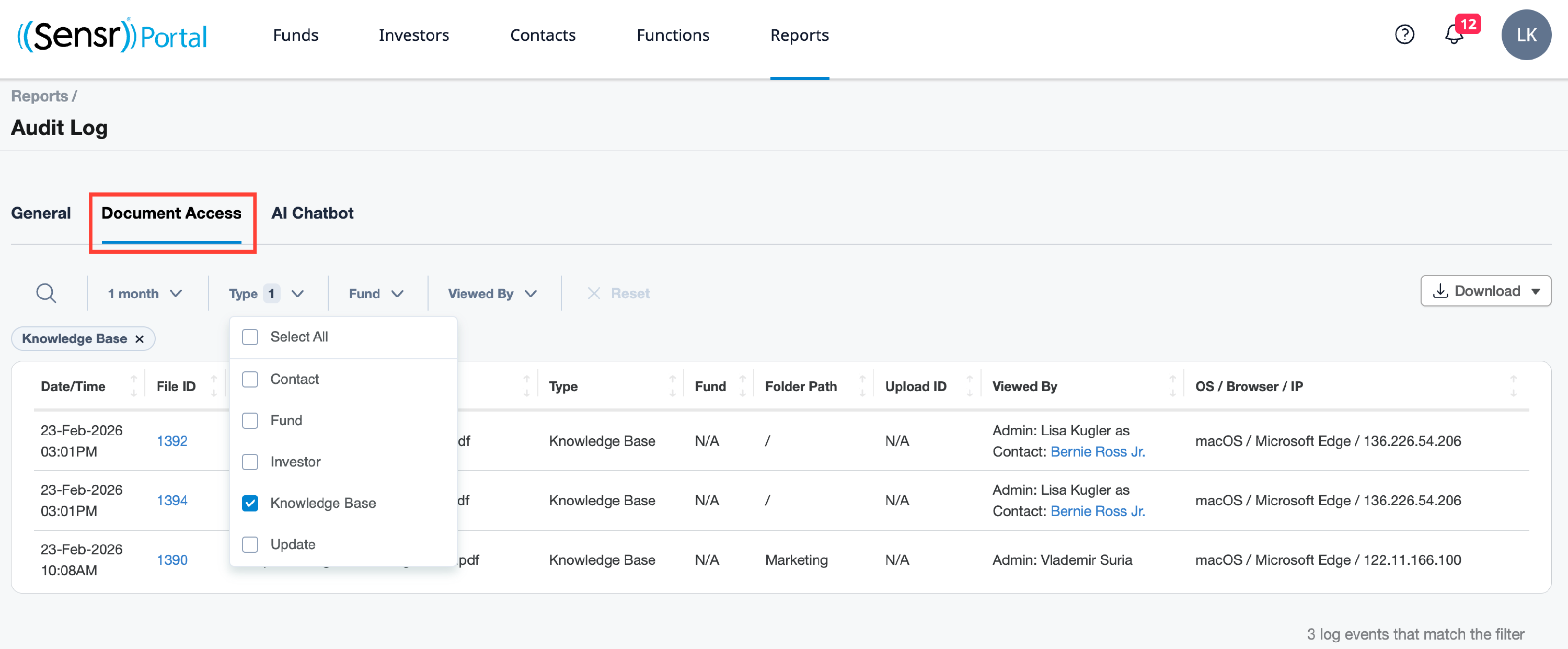
Documents uploaded to the Knowledge Base accessed by contacts and admins are recorded on the Audit Log: Document Access tab. Use the Type filter to view the Knowledge Base documents.